

Deposit and progress invoicing, done simply.
Bill a deposit up front, invoice progress as the work moves, and send the final balance in one click. Every stage is drawn from the accepted estimate, so the totals always match what you quoted.
14-day refund for new accounts. Cancel anytime.
A worked example
Say you estimate a panel upgrade at $4,000. The client accepts online. You bill a 50% deposit, $2,000, to order materials and get on the schedule. A week in, you invoice $1,000 of progress. When the job wraps, the final invoice bills the remaining $1,000 in one click. Three invoices, and together they total exactly the $4,000 you quoted.
Each invoice carries a clear summary line ("Deposit for EST-001 — Panel upgrade," "Progress invoice for EST-001," "Final balance for EST-001"), so the client always knows which slice of the job they're paying, and your records tie every dollar back to the estimate.
Why it doesn't drift
The remaining balance is computed from what you've invoiced against the estimate, not from what's been paid. A deposit that's been sent but not yet paid still counts as billed, and you can't accidentally bill the same portion twice. It's the part of the estimate-to-invoice workflow that generic invoice tools leave you to track by hand.
Bill the job the way it's actually paid
Deposit straight from the estimate
Bill a deposit as a percentage (50% is the usual starting point) or a fixed amount. It's drawn from the estimate's subtotal and goes out as its own invoice, so you can start the job funded.
Progress against the remaining balance
Invoice progress as the work moves. Each progress invoice bills against what's left of the estimate, so you can draw as you go without ever over-billing the job.
Final balance in one click
When the job's done, the final invoice bills whatever is left unbilled on the estimate, automatically, so the deposit, progress draws, and final add up to exactly what you quoted.
The math always closes
Remaining balance is calculated from your invoices' allocations against the estimate, not payment status (a sent-but-unpaid deposit still counts as billed), so two people billing the same job can't double-charge it.
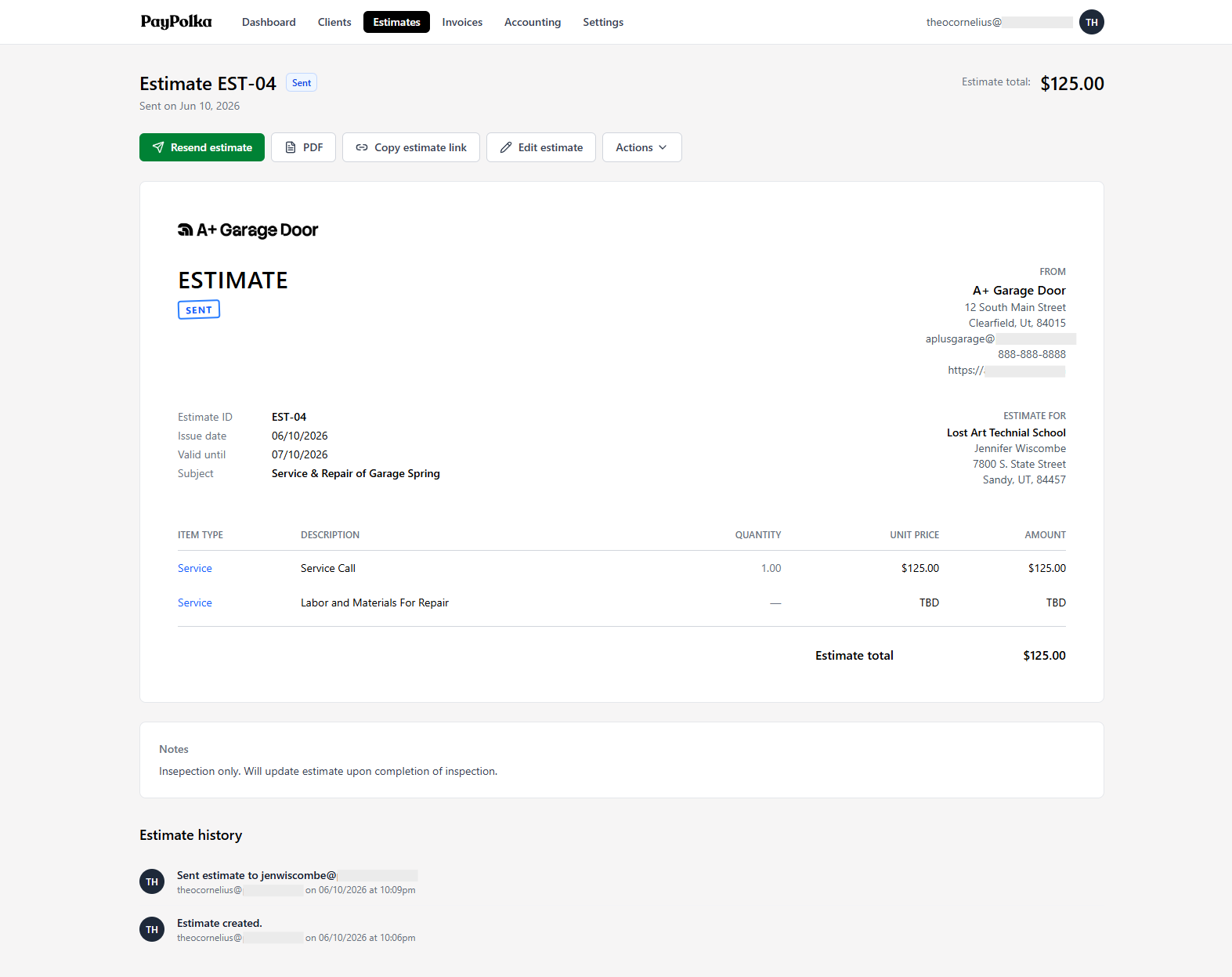
An accepted estimate is the source of every deposit, progress, and final invoice.
Questions, answered.
How do I bill a deposit from an estimate?
Once the client accepts the estimate, choose to create a deposit invoice and enter a percentage or a fixed amount. PayPolka creates a single summary line, for example 'Deposit for EST-001 — Panel upgrade', drawn from the estimate's pre-tax subtotal.
Can I send more than one progress invoice?
Yes. You can bill multiple progress invoices from one estimate as the work moves along. Each one draws from the remaining estimate subtotal, and the running balance updates so you always know what's left to bill.
How is the final balance calculated?
The final invoice bills the remaining unbilled subtotal: the estimate subtotal minus everything already allocated to non-written-off invoices. One click, and the invoices add up to exactly what you quoted.
Does tax get applied correctly on a deposit?
Yes. Deposit, progress, and final amounts are allocated from the estimate's subtotal, and then the estimate's tax and discount rates are applied to that invoice normally. The deposit isn't taken off the tax-inclusive total, so you never end up taxing tax.
Does a deposit count as billed before the client pays it?
Yes. Remaining estimate balance is based on what's been invoiced, not what's been paid. A sent but unpaid deposit invoice still counts as billed for the purpose of what's left to invoice. Payment status is tracked separately on each invoice.
What does it cost, and will the price rise?
$5/month during beta, $15/month standard after. Sign up during beta and you keep $5/month for as long as you stay subscribed; it never rises to $15. US-only, billed in USD, 14-day refund for new accounts.
Take the deposit. Bill the progress. Close it out.
Start for $5/month during beta and lock that rate in for life. Connect your own Stripe account and bill your first deposit today.
14-day refund for new accounts. Cancel anytime.