

Recurring invoicing software, without the autopilot.
Put retainer and maintenance clients on a schedule, and PayPolka generates a draft invoice each cycle for you to review and send. Never auto-sent, never auto-charged. You stay in control of every bill.
14-day refund for new accounts. Cancel anytime.
Why drafts, not autopilot
Plenty of tools will fire off a recurring invoice and silently charge a card on file. It looks efficient until the month the scope changed, the client didn't expect the charge, and you're refunding a payment and rebuilding trust. PayPolka takes the opposite stance: the schedule does the repetitive part (building the invoice) and a person does the part that needs judgment (checking it and sending it).
In practice it's a few seconds a cycle: open the draft, confirm it's right, hit send. You get the time savings of automation without handing a client relationship to a cron job.
How clients pay a recurring invoice
The same way they pay any PayPolka invoice: a payment link for card, ACH, or Cash App Pay through your own Stripe account, or cash and check you record. Recurring invoicing is one piece of the broader estimate-to-invoice workflow.
Recurring billing that keeps you in the loop
Set the schedule once
Create a recurring schedule with the client, line-item templates, cadence (monthly, quarterly, or yearly), the next invoice date, payment terms, and tax. Then stop re-typing last month's invoice.
Drafts you review and send
Each cycle, PayPolka generates a draft invoice and leaves it for you. You review it, adjust anything that changed, and send it yourself. Nothing goes to the client without you.
No surprise card charges
Recurring schedules don't auto-charge a card or run a subscription behind the scenes. The client gets an invoice and pays the link. A surprise charge is exactly how you lose a retainer, so PayPolka doesn't do it.
Reminders and late fees included
Turn on automatic payment reminders and a late fee so past-due retainer invoices get chased for you, without you being the one to send the awkward follow-up.
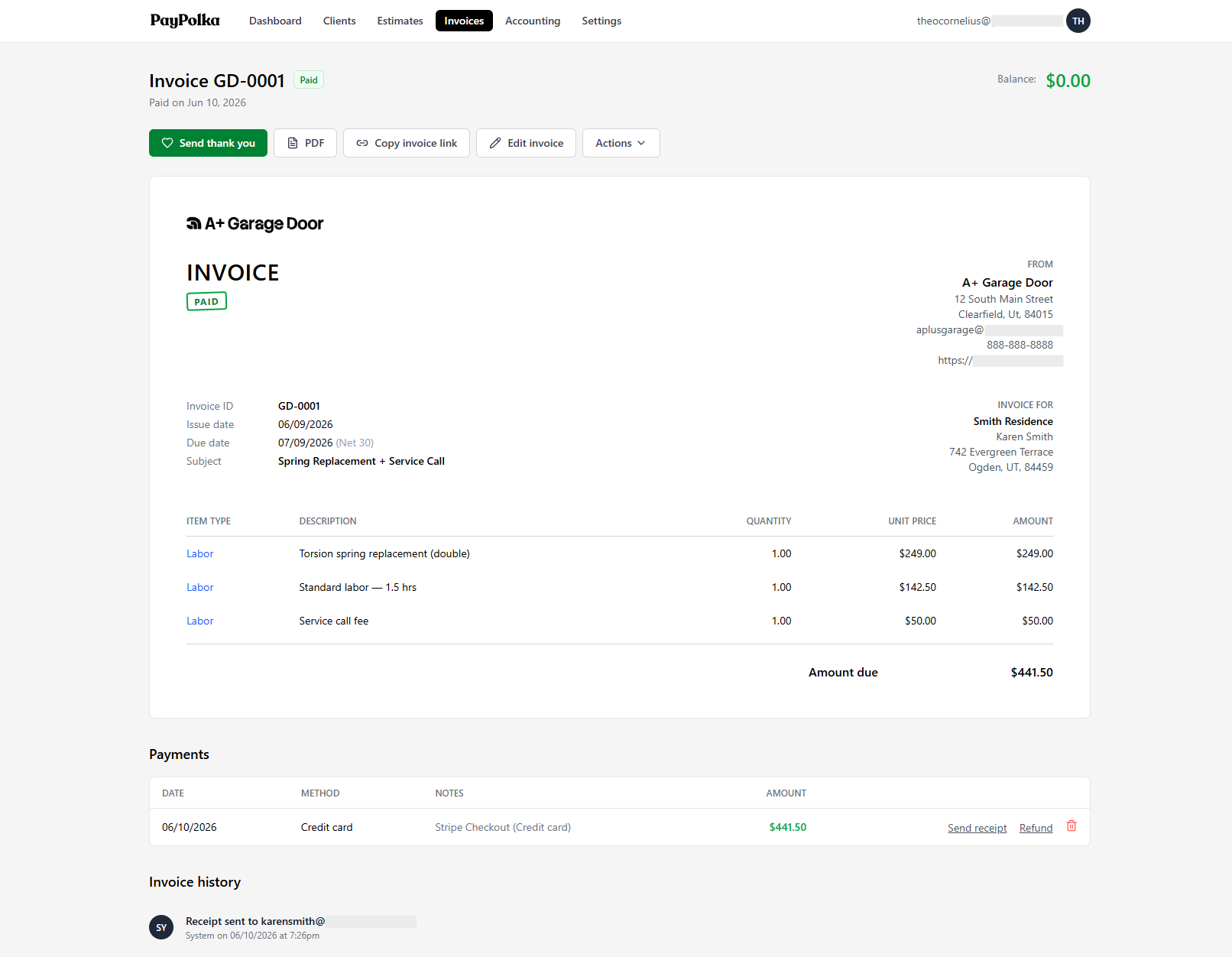
Each cycle generates a draft like this. You review it and send it yourself.
Questions, answered.
Do recurring invoices send themselves?
No. A recurring schedule generates a draft invoice each cycle and leaves it for you to review and send. That's deliberate: it lets you adjust for anything that changed before the client ever sees it.
Will it auto-charge my client's card?
No. PayPolka doesn't auto-charge cards or run subscription billing. The client receives an invoice each cycle and pays the link (card, ACH, or Cash App Pay), or however else you've set the invoice up.
What cadences can I set?
Monthly, quarterly, or yearly, with a next-invoice date you control. Each schedule has its own client, line-item templates, payment terms, and tax and discount rates.
Can I change a draft before it goes out?
Yes, that's the point of the draft step. You can edit the generated invoice before sending it, so an extra item or a one-off adjustment for that cycle is no problem.
Is this good for retainers and maintenance plans?
Yes. Recurring invoices fit any predictable engagement that bills the same fee on a regular cycle: monthly retainers, maintenance agreements, ongoing support. You set it up once and review a draft each period.
What does it cost, and will the price rise?
$5/month during beta, $15/month standard after. Sign up during beta and you keep $5/month for as long as you stay subscribed; it never rises to $15. US-only, billed in USD, 14-day refund for new accounts.
Set the retainer once. Review the draft. Send.
Start for $5/month during beta and lock that rate in for life. Connect your own Stripe account and set up your first recurring schedule today.
14-day refund for new accounts. Cancel anytime.